
SDS Version Control: How to Keep an Auditable History
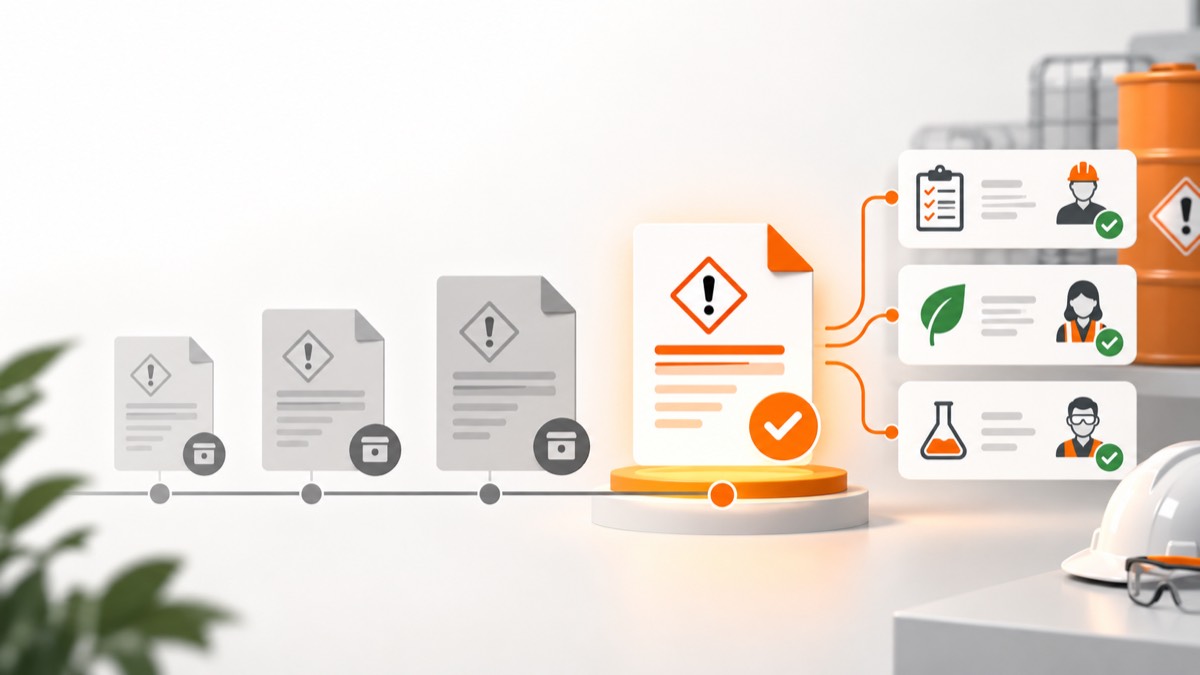
- SDS version control should identify the exact product, supplier, version, source, received date and period each document was active.
- Superseded SDS files should be removed from active use while retained under a clear archive and retention policy.
- Every SDS change should trigger a documented comparison and review of affected COSHH or DSEAR assessments.
- Audit history should show who verified, replaced and approved each record without overwriting earlier evidence.
SDS version control means knowing which document is current, which product it covers, when it replaced an earlier version and which assessments relied on it. Keep one active version at points of use, preserve superseded versions in a controlled archive and record the review caused by each material change.
What information should an SDS register hold?
The register needs stable product identity and document-specific version data. Record:
- product name, code, supplier and variant;
- SDS issue or revision date and version;
- date received and verified;
- authoritative source or supplier communication;
- active, pending, rejected or superseded status;
- effective period in the workplace;
- verifier and approval record;
- linked COSHH and DSEAR assessments;
- replacement reason and archive location.
A filename such as cleaner-new.pdf cannot support an audit. Use a controlled identifier and keep the supplier's original file intact.
What should happen when a new SDS arrives?
Compare the revision before changing its status to active. Use this workflow:
- verify product, supplier, code, concentration and form;
- compare issue, revision and version fields;
- review supplier change notes;
- compare sections affecting hazards and controls;
- identify linked assessments and locations;
- assign review actions;
- approve the new active version;
- withdraw superseded copies from active access;
- preserve the old version and transition date.
HSE says an SDS provides information for COSHH assessment but is not itself the assessment (HSE SDS guidance). The document change must therefore flow into human review.
Which SDS changes matter most?
Prioritise changes that affect identity, hazards, exposure, storage, emergency response or regulation. Compare Sections 1, 2, 3, 4 to 8, 9, 10, 11, 13 and 15 where present.
| Change | Possible follow-up |
|---|---|
| Product or supplier identity | Verify physical stock and purchasing records |
| Classification or hazard statements | Review risk, labels, training and controls |
| Exposure limit | Reassess control adequacy and monitoring |
| PPE specification | Validate against the task and residual exposure |
| Storage or incompatibility | Inspect locations and segregation |
| Emergency information | Update spill, first-aid and fire arrangements |
| Formulation | Confirm every container and affected assessment |
Do not assume a higher version number means a material safety change, or that unchanged numbering means nothing changed. Record the comparison.
How should SDS changes link to assessment reviews?
Create a traceable event from revised source to review outcome. The record should show the changed sections, affected assessments, reviewer, decision, amendments, worker communication and completion date.
Possible outcomes are no assessment change, limited amendment, full reassessment or temporary restriction. The SDS-to-assessment workflow should make unresolved reviews visible rather than silently replacing the attachment.
Should old SDS versions be deleted?
Remove superseded versions from active use but preserve history where needed. Old documents can explain exposure, incident and assessment decisions. Set retention from applicable legal, health, insurance and operational needs rather than inventing one universal period.
Use visible statuses and permissions so workers open the current version by default. Archived does not mean publicly accessible; chemical and location information may require controlled access.
How can you stop duplicate SDS records?
Match on product and supplier identifiers before creating a new record. Standardise names, retain original trade names and keep aliases searchable. Use product codes and formulation variants to distinguish genuine differences.
Avoid merging merely because two PDFs share a product name. Conversely, avoid separate active records caused by punctuation, abbreviations or filename differences. The document features can centralise source data while retaining version history.
What does an auditor need to see?
An auditor should be able to reconstruct the document chain and resulting decisions. Provide:
- current product-to-SDS match;
- source and verification evidence;
- complete version timeline;
- superseded status and effective dates;
- linked assessment reviews;
- outstanding actions and owners;
- access and change history.
Test the process with a sample product. Start from a container, find the active SDS, then trace the previous version and assessment review. If the chain depends on one person's inbox, it is not controlled.
How should paper copies be managed?
Treat printed SDSs as controlled copies where workers rely on them. Mark location, version and replacement responsibility. Replace or withdraw old copies promptly and define what happens if digital access fails.
Use the help centre for record workflow guidance. Good version control keeps current information easy to reach without erasing what the organisation knew and decided before.
How should revision status be named?
Use a small controlled set of statuses with clear transitions. For example: pending verification, active, superseded, rejected mismatch and archived. Define who can make each transition and what evidence is required.
An uploaded document should not become active automatically merely because it has a later date. Pending status protects workers while product matching and comparison occur. Rejected mismatch records should retain the reason so the same wrong file is not uploaded again.
How can supplier notifications enter the workflow?
Create one intake route for revised SDSs and supplier safety notices. Monitor designated procurement or safety mailboxes, supplier portals and receiving documentation. Record when the organisation received the revision, not only the date printed by the supplier.
Route the notice to the product owner and identify linked sites and assessments. Set escalation for overdue review. Where the supplier sends a revision to one buyer, avoid leaving other sites on an older uncontrolled copy.
How should effective dates be handled?
Distinguish the supplier's document date from the date your workplace verified and activated it. These dates explain the transition. If assessment review or worker communication takes time, record interim restrictions and the completion date.
For an incident review, the relevant question may be which SDS was available and used on the event date. A simple “current version” field cannot answer that after several replacements.
What automated checks are useful?
Automation should find likely problems without deciding product equivalence. Useful checks include duplicate product codes, missing supplier, impossible revision dates, active products without SDSs, several active SDSs for one variant and assessments linked to superseded documents.
Notifications can prompt verification and review, but avoid changing status solely from a web scrape or filename comparison. Supplier sites can rename files, remove history or show another regional version.
How should version-control performance be measured?
Measure unresolved risk and workflow time. Track active products without verified SDSs, revisions awaiting comparison, affected assessments overdue for review, superseded copies found at points of use and average time from receipt to decision.
Sample the chain from container to active SDS and previous assessment at intervals. Corrective trends are more useful than counting the total number of PDFs stored.
What should happen when a product is discontinued?
Do not archive the SDS merely because purchasing stops. First confirm whether stock remains, whether waste or residues are present and whether historical assessments or exposure records still rely on the document.
Mark the product inactive for new purchase while keeping the relevant SDS accessible to authorised users until the lifecycle and retention decision are complete. Record the last known use, final disposal and assessment closure where practical.
How can version control survive staff changes?
Put ownership in roles and queues rather than personal inboxes. Define a document owner, backup and escalation path. Supplier notifications, pending comparisons and overdue site reviews should remain visible when a buyer or safety adviser leaves.
Test handover by asking a new owner to reconstruct one product's history from the system. If oral knowledge is essential, the audit record is incomplete.
Include version-control duties in role handovers and absence cover.
Frequently asked questions
Is the newest SDS always the correct one?
Only after it is matched to the exact product and supplier. A newer sheet for another variant is not a valid replacement.
Can I overwrite an old SDS file with the new version?
Avoid overwriting because it destroys the audit trail. Store a new controlled version and mark the earlier one superseded.
Should workers see archived SDSs?
Workers should reach the current document by default. Archived versions can remain available to authorised reviewers for incidents, exposure history and audits.
What if a supplier sends an SDS with no revision notes?
Compare the sections systematically and ask the supplier what changed. Record the response and your review conclusion.
Workplace exposure limits in EH40 help assess airborne exposure in Great Britain. Learn what the figures mean, what they miss and how to review controls.
Spray Painting COSHH: Assessing Mist and Controls at WorkSpray painting COSHH assessments must consider aerosol mist, other workers and the whole paint task. Learn how to review booths, RPE and clean-up controls.
SDS Section 9: Physical Properties That Change RiskSDS Section 9 lists physical and chemical properties. Learn which values affect workplace exposure, storage and spill planning, and how to use them.