
QR Codes for Chemical Inventory: Uses and Limits
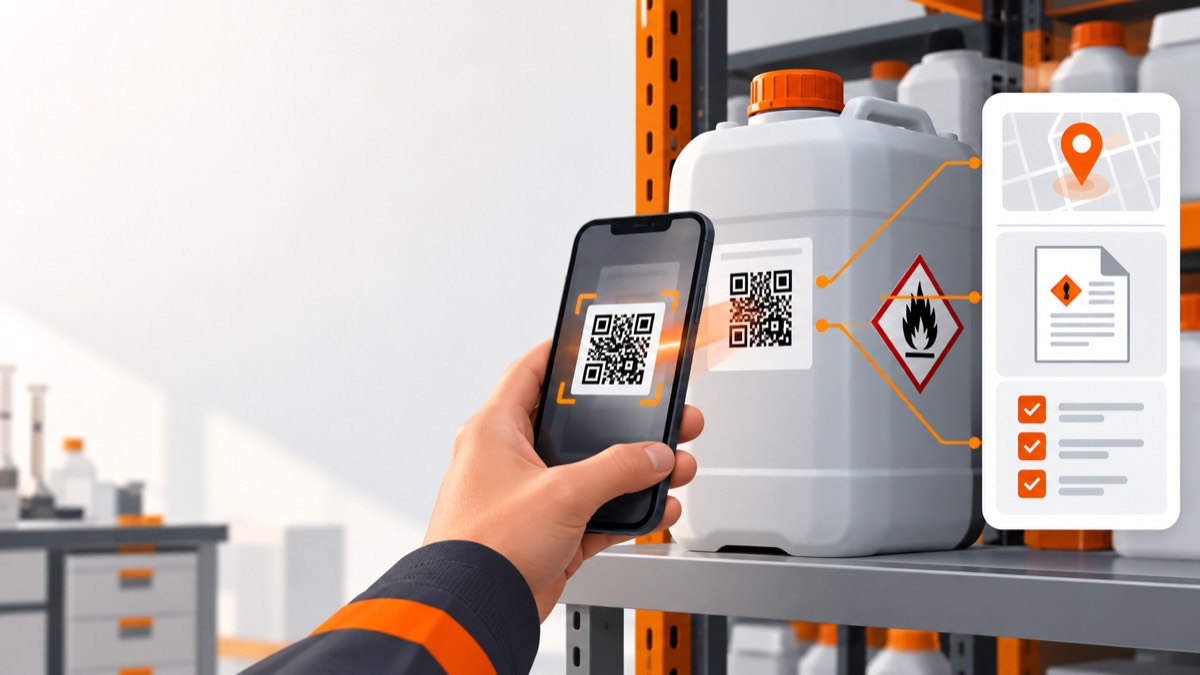
- A chemical inventory QR code is most useful as a stable identifier or link to an authorised current record rather than as a copy of changing safety data.
- QR codes can speed up location checks, SDS access and audit trails, but they do not prove that a container is present, correctly identified or safe to use.
- A QR code supplements the physical hazard label and must not obscure required label information.
- QR workflows need access control, offline and damaged-label procedures, durable materials and a process for moved, decanted and disposed containers.
QR codes can connect a chemical container or storage location to current inventory, SDS and assessment records. They make lookup and stocktake faster, but they do not replace the supplier's hazard label, a COSHH or DSEAR assessment, or physical verification. Design the code as an entry point into a controlled workflow, not as the safety control itself.
What can a QR code do in a chemical inventory?
A QR code can give a phone or tablet a fast route from a physical item or location to a digital record. Common uses include:
- opening the approved product and SDS record;
- showing the registered storage location and owner;
- starting a stocktake or inspection at a specific location;
- recording a transfer, receipt, issue or disposal event;
- opening related COSHH or DSEAR assessments;
- reporting a damaged label, low stock or discrepancy;
- providing a stable container or location identifier for audit history.
IUPAC's published recommendation for InChI QR codes describes QR-linked digital information as supplementing information on physical chemical labels, which is the right design principle even when a workplace uses its own inventory identifiers (IUPAC chemical QR code recommendation).
Safe Foundry's location and QR features use codes to connect physical places with controlled digital records. The useful outcome is not the scan itself; it is the accurate, authorised action the scan enables.
Should a QR code identify a product, container or location?
Choose the QR target from the decision the user needs to make. One code type rarely serves every workflow well.
| QR target | Best for | Main limitation |
|---|---|---|
| Product | Shared SDS, classification and supplier information | Cannot show which container or location was scanned |
| Container | Batch, quantity, opened date, condition and movement history | Requires more labels and lifecycle administration |
| Location | Cupboard, room or store stocktake and local emergency information | User must select or verify the individual product |
| Assessment | Opening task-specific controls at the point of work | Can be misleading if several tasks use the same location |
A small workplace may get most value from location codes combined with a central product register. A laboratory tracking individual reagents may need container-level identifiers. Keep shared product information separate from local quantity and location data so one SDS update does not require editing every container record.
What should the QR code contain?
Encode a short, opaque identifier or stable HTTPS link wherever connectivity and access design allow. The destination can then show current information without reprinting the label every time a document changes.
Avoid embedding a full SDS, hazard classification or long collection of fields directly in the symbol. Static embedded data becomes stale, is difficult to revoke and may be exposed to anyone who scans it. A controlled destination can apply authentication, organisation checks, audit logging and status changes.
The landing screen should make the physical match easy. Show the product name, supplier, product code, concentration or form, location and a clear status. Avoid displaying sensitive information before authorisation. Use an identifier that does not reveal tenant, site or product details by itself, and prevent predictable identifiers from exposing neighbouring records.
Can a QR code replace a chemical hazard label?
No. A QR code should supplement, not replace, the required physical hazard communication on the container. HSE explains that GB CLP labels communicate hazards through elements including pictograms, signal words, hazard statements and precautionary statements (HSE labelling and packaging). Hazard pictograms are designed to alert people to a hazardous chemical before any device is used (HSE hazard pictograms).
A QR system can fail because:
- the phone is unavailable, uncharged or prohibited;
- connectivity is lost;
- the label is wet, abraded, curved or chemically attacked;
- access credentials have expired;
- the destination record was deleted or linked incorrectly;
- the user scans a code copied from another container;
- an unauthorised sticker covers or replaces the original code.
Keep visible human-readable identification beside the QR code and never cover supplier label elements. Define an offline and damaged-code procedure so workers can still identify the material and follow local controls.
Does a QR link to an SDS make the task safe?
No. An SDS link provides source information, while the assessment defines controls for the actual work. HSE states that an SDS helps employers carry out a COSHH assessment but is not itself the assessment (HSE safety data sheets).
A useful scan may present:
- confirmed product identity;
- current SDS version and revision date;
- applicable task assessments for that location;
- key local controls and emergency routes;
- clear instructions for reporting a mismatch.
Do not collapse these records into one generic “safe to use” screen. The same chemical can be brushed in one task, sprayed in another and stored in a third, with different exposure and fire scenarios.
The Safe Foundry chemical safety workflow keeps source documents and assessments connected while preserving their different purposes.
How should you design a reliable QR workflow?
Design the lifecycle before printing a large batch of labels. Cover creation, application, scanning, transfer, damage, relabelling and retirement.
1. Define the record model
Decide whether each code represents a product, container, location or assessment. Document who can view and update each record.
2. Use durable, compatible labels
Select label material and adhesive for the surface, temperature, moisture, cleaning agents, sunlight and expected lifetime. Test scanning on small and curved containers without obscuring existing information.
3. Verify at application
Require the person applying the code to match product name, code, supplier and concentration. A beautifully printed code attached to the wrong bottle creates false confidence.
4. Control access and links
Use HTTPS, organisation authorisation and object-specific access. Avoid public links to private SDS, assessment, signature or location records. Give users only the actions their role needs.
5. Handle exceptions
Create clear flows for no signal, damaged code, mismatched identity, unlabelled container, moved stock and a container emptied or sent to waste.
6. Test and audit
Sample codes across locations, devices and lighting conditions. Confirm the destination, permissions, record status and printed human-readable identifier. Retire codes so an old sticker cannot open an apparently active record.
What are the main limitations of QR chemical tracking?
QR codes reduce lookup friction but do not repair weak inventory processes. Their limitations include:
- Scan dependence: movements remain invisible when users skip the scan.
- Identity risk: a code can be copied, moved or applied to the wrong item.
- Physical durability: chemicals, condensation, abrasion and curved surfaces affect labels.
- Connectivity and device access: some work areas cannot rely on personal phones or network coverage.
- Information freshness: links are useful only when records and SDS versions are maintained.
- Security and privacy: public or predictable URLs can expose workplace information.
- Human factors: a scan screen can overwhelm users or hide urgent controls behind several taps.
Mitigate these limits with routine physical stocktakes, visible labels, exception reports, clear ownership and observation of actual use. A code should shorten a sound process, not disguise the absence of one.
How can you measure whether QR codes are helping?
Measure data quality and task outcomes rather than scan totals alone. Useful indicators include time to retrieve a current SDS, stocktake discrepancies, unrecorded moves, damaged codes, identity mismatches, unresolved access failures and overdue record reviews.
Run a pilot in one representative area before wider rollout. Compare the baseline and pilot for lookup time, reconciliation accuracy and exception closure. Ask workers whether the scan delivers the information needed at the point of work.
The help centre can support setup and record-management questions. A successful QR rollout ends with fewer unknowns and faster verified decisions, while every container remains identifiable and safe procedures still work when the scan does not.
Frequently asked questions
Can I put one QR code on a chemical cupboard?
Yes, a location code can open the cupboard inventory and inspection flow. Users must still verify each container and its physical label before use.
Should a chemical QR code be publicly accessible?
Only information intentionally approved for public access should be public. Private SDS, assessments, signatures and location records should require appropriate authorisation.
What happens when a chemical container moves location?
The move workflow should update the container or stock record and retain an audit event. The code can remain the same if it identifies the container rather than the old location.
Can QR codes work without internet access?
A scanner can read the symbol offline, but a linked live record needs connectivity or a securely managed offline cache. Define what workers must do when current information cannot be confirmed.
Check that an SDS matches your chemical by comparing product identifiers, supplier, concentration, form, label classification and intended use.
Chemical Stocktake Checklist: What to Record and CheckUse this chemical stocktake checklist to reconcile containers with your register, verify SDS links, find storage issues and assign follow-up actions.
Chemical Storage Inspection Checklist for UK WorkplacesUse this chemical storage inspection checklist to find container, label, segregation, quantity, spill-control and housekeeping problems early.